How To Compress Images In Android Without Losing Quality.
Powered By : Original Production Pvt. Ltd.
Fully Graphical & Deeply Explained Tutorial.
Published Under : How To's Section.

We are going to share an useful method of compressing images in android without losing any quality, go through the full post to know about it.

For android users, we are here with a method to Compress Images In Android Without Losing Quality. Do you use your phone camera very often to click selfies or photos? All those image files consume lots of memory in your android smartphone.
Transferring media through social media networks also consumes lot’s of memory, and to free up this space you can compress out all your images in your Android and can save lots of memory to make your android perform better. So have a look at the complete guide to compress images without losing their quality.
How To Compress Images In Android Without Losing Quality
The method is very simple and easy and depends on a cool android app that will allow you to compress all your android images with a single click while maintaining its quality. So follow up the below steps to proceed.
Step 1. First of all download and install the app Photo Compress on your android device.


Step 2. Now launch the app and there you will see options Pick the image from the gallery, capture, and multiple compress. Now you can choose any random image from gallery to compress it. Choose the multiple options to compress 2 or more or compress all the images in a gallery to save lots of data of your android device.

Step 3. Now select the Compression action at the next screen.

Step 4. Now select the quality that you want to set to the image you are compressing.

That’s it! you are done, now your images get compressed and this going to save lots of memory.
Using Compress Image APP
Low on storage? But don’t want to delete your precious images, Just compress them! It is a simple app that compresses images in just 1 tap. It is one of the new Image compressor tools which can compress your images up to 97% without compromising the quality.
Step 1. First of all, you need to download and install compress image on your Android smartphone
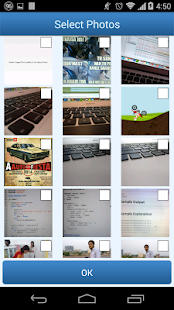
Step 2. Now launch the app and you will see the screen like below. You need to tap on the gallery icon to start selecting your photos.

Step 3. Now in the next step, you need to select the images that you want to compress.

Step 4. Now simply tap on the tick button and then wait for the app to compress the selected images. Once compressed you will see the screen like below.

That’s it! you are done. This is how you can compress images in your Android without losing quality.
So, what do you think about this? Simply share your views and thoughts in the comment section below.